
ChargeTeam, in your pocket.
Jobs, intervention tracking and signed reports, on your phone as on your computer. The app installs today from the browser, on Android and iPhone alike.

ChargeTeam
EV charging technicians and clients
- Google PlayComing soon
- App StoreComing soon
“Coming soon”: the app is not yet published on this store; its link will appear here. Meanwhile, install it from the browser: it is the same ChargeTeam space.
For technicians
Your jobs, from offer to report.
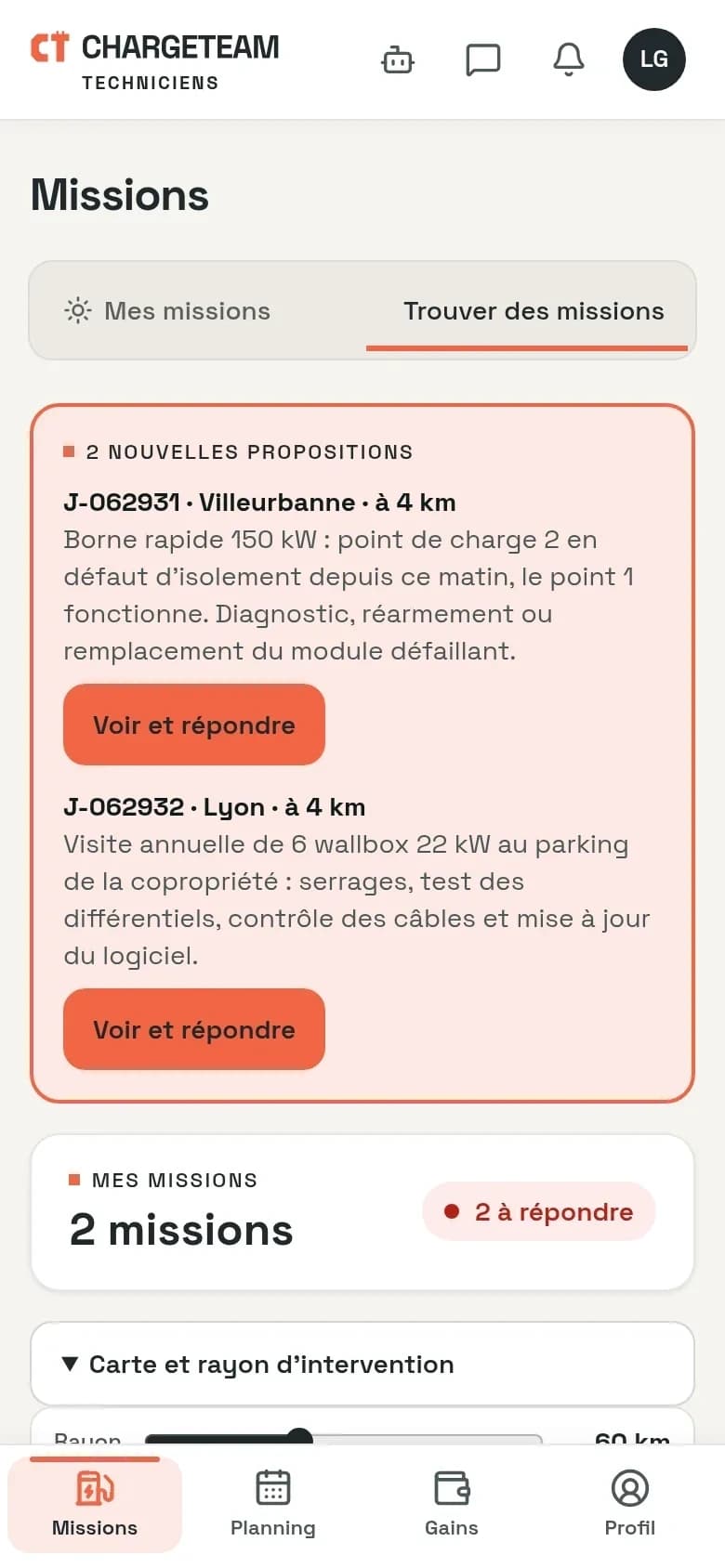
- Jobs near youTown, distance and fault before you accept. You pick the day you go.
- AlertsA notification tells you when a job is offered to you, if you have allowed it on your phone.
- The report on siteFindings, work done, before and after photos. The person on site signs on your screen.
For charger owners
Your interventions, tracked to the signed report.
- TrackingEach request has its ticket, which moves forward as the job is scheduled, in progress, then resolved.
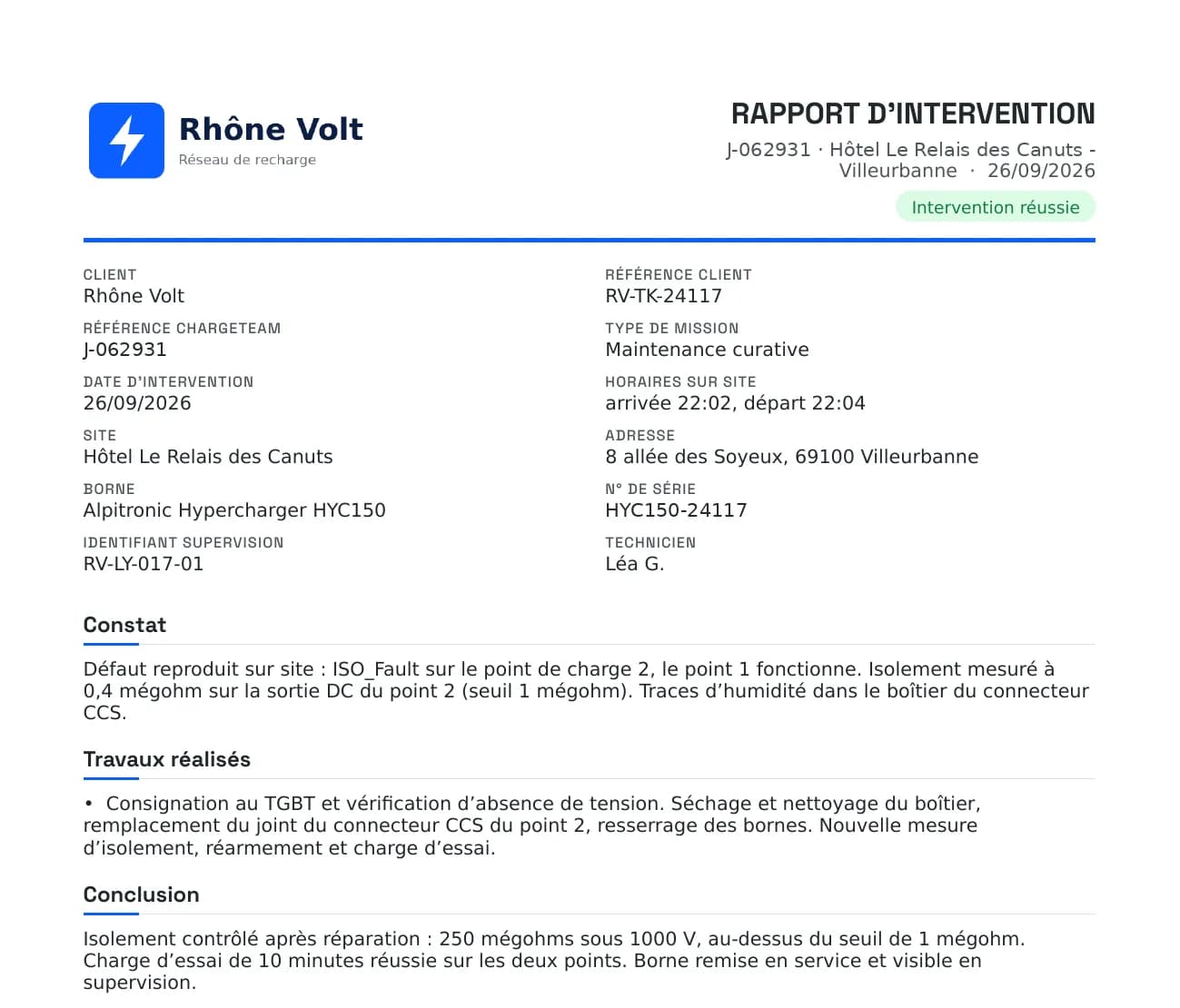
- The signed reportThe approved report reaches you with its photos and the signature of the person on site, as a PDF with your logo.
The app
Install ChargeTeam in one tap.
The app installs from the browser, on Android and iPhone alike, then opens from your home screen.
Install the app
Android
- Open espace.chargeteam.pro in Chrome.
- Tap the ⋮ menu at the top right.
- Choose “Install app” or “Add to Home screen”.
iPhone and iPad
- Open espace.chargeteam.pro in Safari.
- Tap Share (in the ⋯ menu on recent versions).
- Choose “Add to Home Screen”.